Grace just became sales manager at a small dealership. On day one, she opens the old lead list. It is a spreadsheet with 1,400 rows. Some people show up three times. Some phone numbers are dead. A few leads are from 2019. And nobody knows who called whom.
Grace is a made-up example, but many managers inherit a mess like this. The good news is that a clear plan can turn it into a working automotive CRM in about 30 days. Here is a simple plan that uses GoCRM.
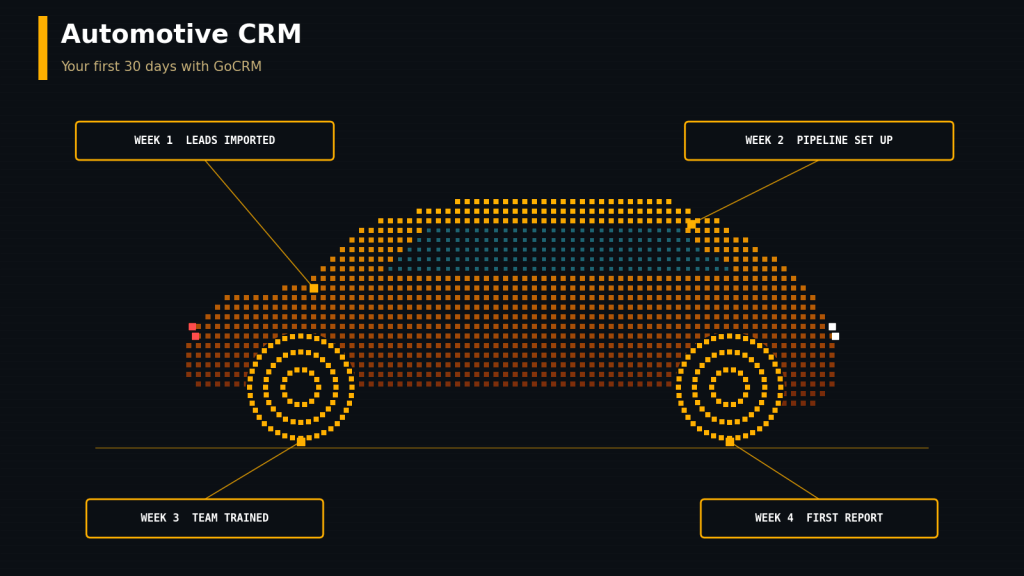
Why a Setup Plan Matters
Most CRMs do not fail because the tool is bad. They fail because setup is rushed, the data is dirty, and no one is trained. A plan fixes all three.
GoCRM is a cloud-based CRM that puts calling, texting, email, tasks, and a sales pipeline in one place. It also has mobile apps. It is a general sales CRM, not one made only for car dealers. That is fine, because you can shape it for your store with your own stages and fields. Before you start, ask the vendor what your plan includes and what it costs.
Week 1: Clean and Import Your Leads
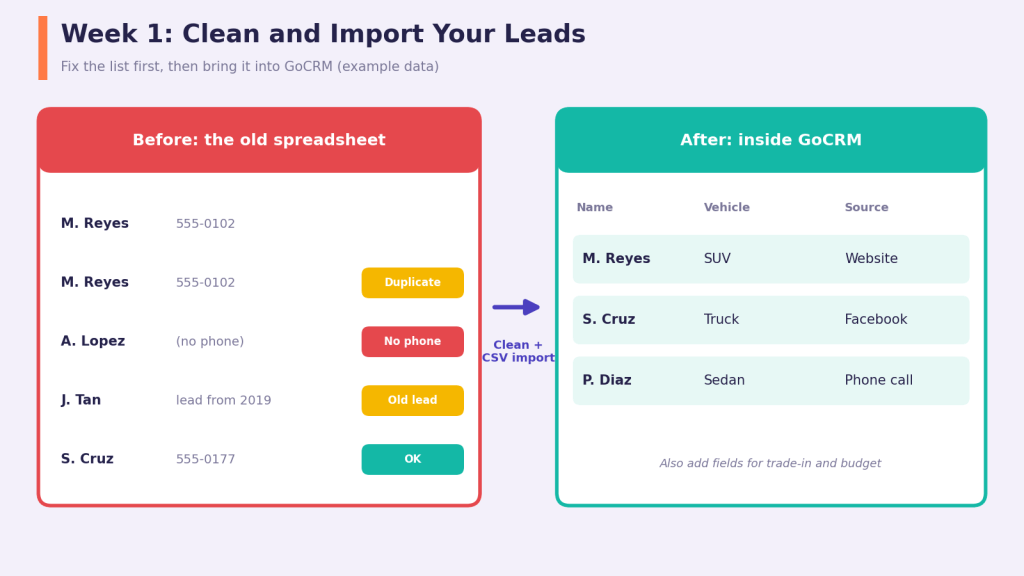
Fix the list before you move it. A messy list in a new CRM is still a messy list.
- Make a backup. Save a copy of the old spreadsheet before you change anything.
- Remove junk. Delete duplicates, dead numbers, and very old leads.
- Add useful columns. Add vehicle of interest, trade-in, and lead source.
- Import the list. GoCRM can import leads from a CSV file. Create matching custom fields first, so each column lands in the right place.
Week 2: Build Your Pipeline and Rules
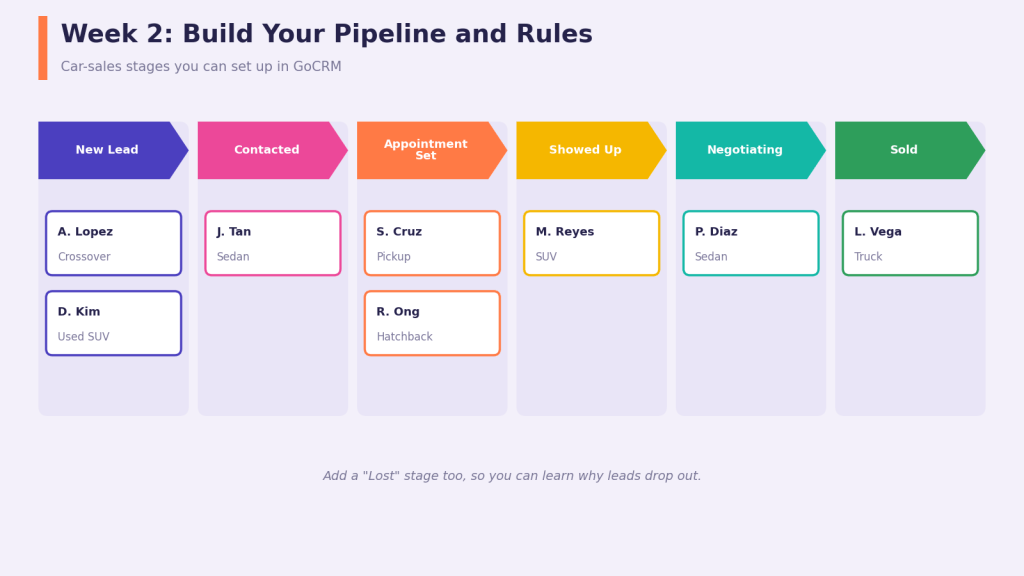
Now teach GoCRM how a car sale works. Set up stages that match your store. A simple set is: New Lead, Contacted, Appointment Set, Showed Up, Negotiating, and Sold. Add a Lost stage so you can see why deals drop out. GoCRM lets you color code the stages, which makes the board easy to read.
Then set a few rules:
⦁ Lead distribution. Decide how new leads are shared, such as at random or by picking a person.
⦁ Email. Connect your inbox, so messages show up inside the CRM.
⦁ Calls and texts. Set up your phone numbers, and check your local rules for calling and texting.
⦁ Reminders. Add a task for each new lead, such as “call within 15 minutes.”
Week 3: Train Your Team and Go Live
Keep training short. A 30-minute session is enough to show three things: how to log a call, how to move a lead to the next stage, and how to set a task. Put the app on everyone’s phone, too.
Then set one big rule: every lead lives in GoCRM. No side notebooks and no private spreadsheets. Spend ten minutes each day checking the board and helping anyone who is stuck.
Week 4: Measure and Fix
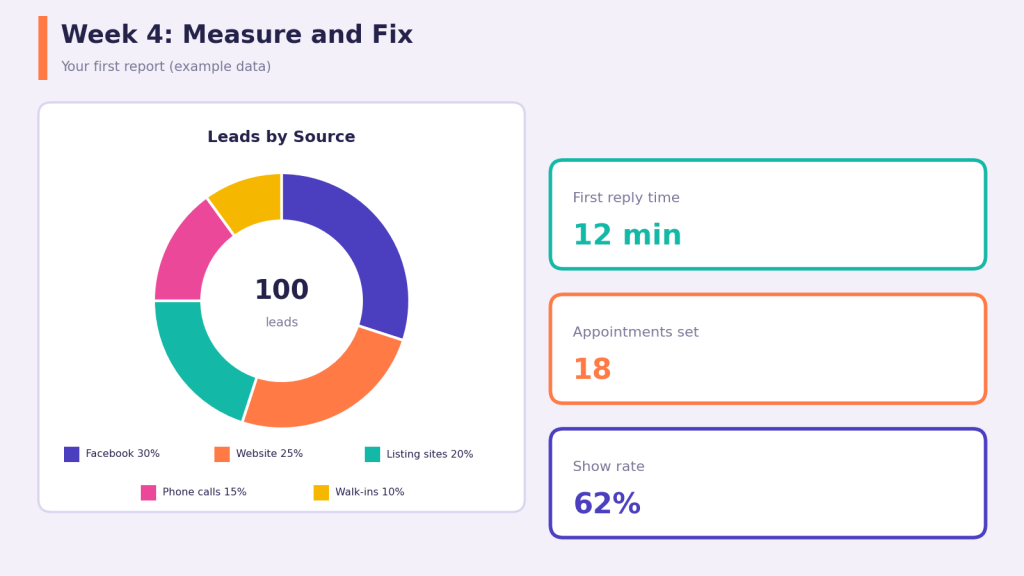
By now you have real data. Pull your first report and look at four things: where leads came from, how fast your team replied, how many appointments were set, and how many people showed up. GoCRM also has marketing attribution tools that help you track where leads come from.
Then fix what you see. Remove a stage no one uses. Tighten a slow reply rule. Stop paying for a lead source that brings no buyers.
Your 30-Day Checklist
Print this and tape it to the wall.
⦁ Week 1: backup, clean, add fields, import.
⦁ Week 2: stages, lead sharing, email, phones, reminders.
⦁ Week 3: short training, apps on phones, one rule for every lead.
⦁ Week 4: first report, then fix what you find.
Things to Watch Out For
⦁ Do not import junk. Dirty data makes every report wrong.
⦁ Do not add too many fields. A long form makes reps skip it.
⦁ Do not skip training. The best tool fails when no one uses it.
⦁ Ask about the details. Get the full price in writing, and ask how you can export your data later.
Final Thoughts
A strong automotive CRM is built, not bought. Grace did not need a perfect tool on day one. She needed a clean list, simple stages, a short training, and a weekly look at the numbers.
If you are trying GoCRM, follow the four weeks, one at a time. Keep it simple, keep it clean, and keep your team involved. In a month, you will have a CRM people actually use.


Leave a Reply